| |
|
Download |
|
|
|
|
ProTracker Tennis is available for you to download and try - there
are various versions available, please
click on the version required. The trial versions are fully featured
but are limited to 3 games or 20 points per match.
|
|
|
The iPhone version requires an iPhone,
iPad or
iPod Touch with iPhone OS 3.1.2 or later. A free to download Pay As You Go version can be downloaded
from the Apple AppStore for evaluation. |
 |
Download
ProTracker Tennis for iPhone, iPad and iPod touch
|
|
|
The PC version requires a Microsoft Windows XP or Windows Vista
or Windows 7 Laptop, Desktop or Tablet computer. |

|
Download ProTracker Tennis for PC
After clicking, you will be asked for an e-mail
address, to which a download link will be sent. When you have the
download link, click on it and choose to Save the file.
To install:
|
The Windows Mobile version requires a Microsoft Windows Mobile 6.5
or earlier
based Smartphone or PockerPC with touch-screen (not Windows Phone 7)
There are a large number of
phones and devices that run Windows Mobile 6.5 or earlier. They are no
longer available new but bargains can be purchased from
eBay
or other auction sites - search for 'PDA'. A basic device such as the
HP iPAQ or Dell AXIM will be fine for running ProTracker Tennis.
|

|
Download ProTracker
Tennis for Windows Mobile - to install via your PC
After clicking, you will be asked for an e-mail
address, to which a download link will be sent. When you have the
download link, click on it and choose to Save the file.
To install:
-
Save the downloaded file (ProTrackerTennisSetup43.msi) on your PC
-
Sync your device with Windows XP
ActiveSync or Windows Vista
Mobile Device Center
-
Run the file (double-click) on your PC and follow the
on screen instructions
|

|
Download ProTracker
Tennis for Windows Mobile (cab) - to install directly to your device or
via PC
After clicking, you will be asked for an e-mail address, to which a download
link will be sent. When you have the download link, click on it and
choose to Save the file.
To install:
-
Save the downloaded file (ProTrackerTennis43.CAB) directly in
the 'My Documents' folder on your device
or
Save the downloaded file (ProTrackerTennis43.CAB) on your PC and then Connect your device
to your PC with a USB cable and copy the file to the
'My Documents' folder on the device
-
Locate the file with the File Explorer and Tap the file name,
then follow the on screen instructions
|
|
|
|
|
|
If you have any difficulty
downloading, installing or running the app, please check the
FAQ or contact

.
|
|
|
|
|
|
|
|
To help you appreciate ProTracker Tennis, here
is a completed match that has been tracked using the product.
The match file can be downloaded and analysed with the trial versions of
the software:
Download example match (20Kb) - a boys under-16 junior match
Save the file on your PC in 'Documents\ProTracker Tennis' and then use Sync Explore to copy
it to
'\My Documents\ProTracker Tennis' on your Pocket PC. Then start ProTracker
Tennis on either platform and load them using the File -> Browse For
Match... menu option.
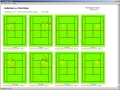
An example printed match report can be downloaded
here
in pdf format. Match reports are only available with the PC
version - this example uses the default layout; with the software you can
tailor and add report pages as you wish. |
|
|
|
| |
|