| |
|
 |
 |
| |
Features |
iPhone
iPad
iPod Touch
(v5.1) |
Windows
PC
(v4.3) |
| |
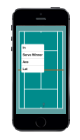
Track Serves,
Returns and Key Shots |
 |
|
| |
Easy to learn and use - the rules of
tennis are followed automatically |
|
|
| |
Singles - information is tracked for both
players |
|
|
| |
Doubles - information is tracked for all four
players
(put '&' or '+' between player names for doubles) |
|
|
| |
Automatic scoring - Tie-Break Sets, Long/Short Sets, Player
End-changes, Serve court etc. |
|
|
| |
Maximum information from minimal input -
details of the location and type of shot, and the ball bounce position and
shot outcome can be recorded with just 4 touches - Serves and Returns
with just 1 touch |
|
|
| |
Context sensitive options
- for quick input |
|
|
| |
Handles all exceptions - early match end, foot-faults, players not
changing ends correctly etc. |
|
|
| |
Comments can be added - either pre-defined or typed-in at the
point they occur in the match |
|
|
| |
Track Rally lengths |
|
|
| |
Option to track score only for basic stats and
match flow |
|
|
| |
Allows for missed
serves, returns, points or games - for
those times you're distracted or sent to fill that drinks bottle |
|
|
| |
Unlimited Undo facility to rectify mistakes and Lets (players re-playing
a point) |
|
|
| |
Move matches from your Hand Held Device to a PC, for further analysis and storage
and E-mail matches to other users - for example from parent to coach |
|
|
| |
Attractive interface, matching court colors |
|
|
| |
Best of 5 Set matches as well as 3 and 1 Sets |
|
|
| |
Allows you to start tracking mid-match |
|
|
| |
Black and White option for
high visibility |
|
|
| |
TV-style Commentaries are displayed for shot stats and key points,
and game summaries after each game - provide a commentary to other
spectators |
|
|
| |
Facility to correct misspelled player names |
|
|
| |
Court scaled for tablets and
new devices formats |
|
|
| |
Setting options for control over information
capture and input styles |
|
|
|
|
|
|
| |
Summary Stats |
|
|
| |
TV-style detailed Stats |
|
|
| |
Custom stats let you count any aspect of the
game - for example tactic success rate |
|
|
| |
Aggressive Margin Stats |
|
|
| |
Rally Length Stats |
|
|
|
|
|
|
| |
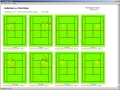
Scatter Diagrams for Serves, Returns and Key
Shots - instead of hundreds of difficult statistics,
shots are shown graphically so improvement areas and strengths are
easily identified |
|
|
| |
Filter shots on Scatter
Diagrams by Type, Set, Game-score or Player |
|
|
| |
Shot counts and %'ages displayed on scatter diagrams |
|
|
|
|
|
|
| |
Momentum chart - to identify turning points in matches and easily
see how points are being won or lost - chart includes Serves, Returns and
Key-shot outcomes |
|
|
| |
Serves, Return and Key Shots Overlay
on Momentum Chart |
|
|
| |
Rally length Overlay
on Momentum Chart |
|
|
|
|
|
|
| |
Replay point by point |
|
|
|
|
|
|
| |
Match Plans - record the main objectives and match tactics etc. |
|
|
|
|
|
|
| |
Match
Summaries - record the main points about a match: what went well
what could be done better etc |
|
|
|
|
|
|
| |
Analyze mid-match or Immediately
post-match |
|
|
|
|
|
|
| |
Player Profiles - save information on players to record what areas
to work on, playing styles or weaknesses to exploit |
|
|
|
|
|
|
| |
Printable match reports with customizable layouts
- iPhone/iPad users can print match reports by transferring the
match to a PC |
|
|
|
|
|
|
| |
Compare matches or open multiple windows on the same
match |
|
|
|
|
|
|
| |
Video tagging output for integration with
Dartfish video analysis - for example view all the double faults in
a match, or all the serves when break point down |
|
|
|
|
|
|
| |
French Spanish, Italian, Portuguese |
|
|